Your AI Writing Assistant For LinkedIn Articles
Writing compelling LinkedIn articles is crucial for building credibility and engaging your audience. Crafting well-structured, high-quality content consistently can be challenging, specifically if you don’t come from a copywriting background. This is where Twain, an AI-powered copywriting assistant, comes into play.
What Is Twain?
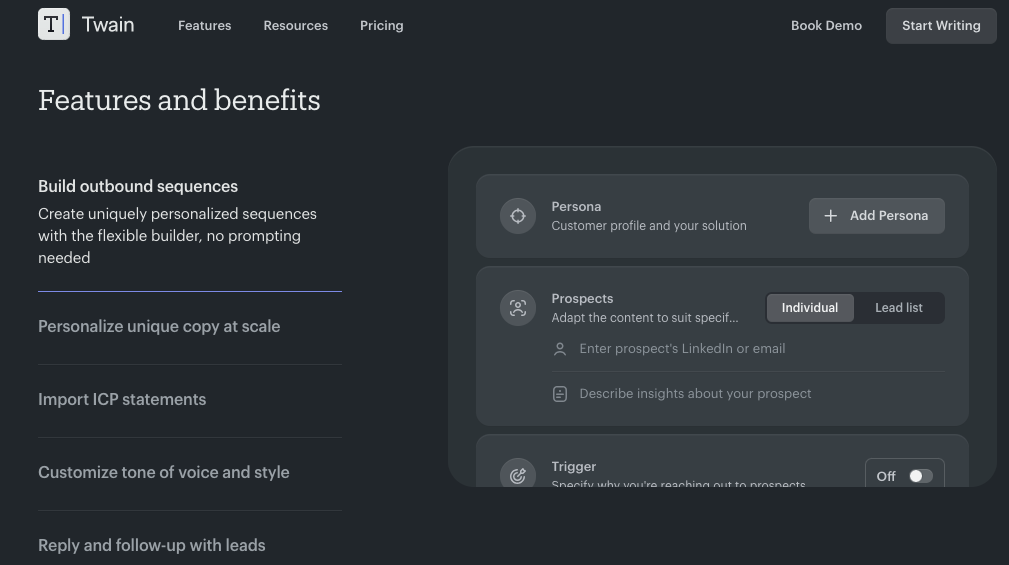
Twain is an AI-powered writing assistant designed to help professionals improve their writing, particularly for marketing, sales, and business communication. It provides real-time feedback, suggestions for clarity, tone, and engagement, and helps refine messaging to resonate with the target audience. By leveraging natural language processing and machine learning, Twain makes it easier to craft clear, concise, and persuasive content.
How Twain Enhances LinkedIn Article Writing
Writing LinkedIn articles is a powerful way to establish authority in your industry, generate leads, and spark meaningful conversations. Twain can help streamline the process in several ways:
1. Clarity and Readability Improvements
Twain identifies complex or wordy sentences and suggests improvements for better readability. This ensures that your LinkedIn articles are easy to digest, keeping readers engaged.
2. Tone and Style Refinement
LinkedIn content needs to strike a balance between professionalism and approachability. Twain provides suggestions to adjust tone, ensuring your message is confident, engaging, and appropriate for your audience.
3. Grammar and Punctuation Corrections
Minor errors can undermine credibility. Twain acts as a second set of eyes, catching typos, grammatical mistakes, and punctuation errors that might otherwise slip through.
4. SEO and Engagement Optimization
Twain helps enhance your writing for better engagement by suggesting improvements in structure, keyword usage, and calls to action. This ensures your LinkedIn articles are discoverable and drive meaningful interactions.
5. Concise and Impactful Messaging
LinkedIn readers appreciate content that gets to the point quickly. Twain helps eliminate fluff and tighten messaging so that each sentence adds value.
6. Personalization and Audience Alignment
Understanding your target audience is key to effective content. Twain analyzes your writing and suggests ways to tailor your message for better alignment with your industry peers, potential clients, or hiring managers.
Getting Started with Twain for LinkedIn Articles
Using Twain is simple and intuitive. Here’s how you can integrate it into your writing workflow:
- Draft Your Article – Start with a rough draft of your LinkedIn article, focusing on key ideas and messaging.
- Run It Through Twain – Paste your draft into Twain and review the suggested edits.
- Refine and Improve – Implement Twain’s feedback to enhance clarity, tone, and engagement.
- Final Review and Posting – After making refinements, give your article a final read-through before publishing it on LinkedIn.
Conclusion
In the competitive digital landscape, high-quality content is essential for building authority and attracting engagement on LinkedIn. Twain serves as a powerful writing companion, helping professionals craft clear, persuasive, and impactful articles with ease. By leveraging Twain’s AI-driven suggestions, you can elevate your LinkedIn content strategy, enhance your credibility, and drive better engagement with your network.
Ready to improve your LinkedIn writing? Give Twain a try and see how it transforms your content!
To get set up, go to https://twain.ai and click Get started in the upper right. Then click Add to Chrome to add the extension to your Chrome browser.
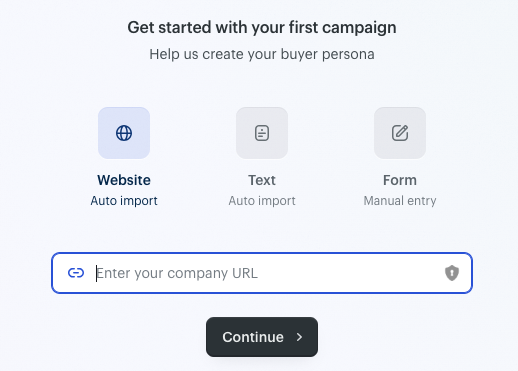
Twain will help you through defining the persona you want to reach out to. We’ll start with a website, https://www.dedicatusit.com in this case.
Twain then moves to Prospects, and asks you to upload a lead list, or Twain can find lookalikes for you. If you want to investigate other tools for lookalike targeting, go to https://infinitekb.com/lookalike
Check out our article on refining your ICP here.
Let’s cut and paste a few Lookalike URLs. In our case we’re targeting MSPs. We’ll search the MSP 501 for a few of the more promising fast-growth MSPs. https://www.channelfutures.com/channel-business/msp-501-2024-top-managed-service-provider-list-100-51 We’ll start with a few of the first ones that pop up:
Otava: https://www.linkedin.com/company/otavallc/
Vudu Consulting: https://www.linkedin.com/company/vuduconsulting/
Personified: https://www.linkedin.com/company/wearepersonified/
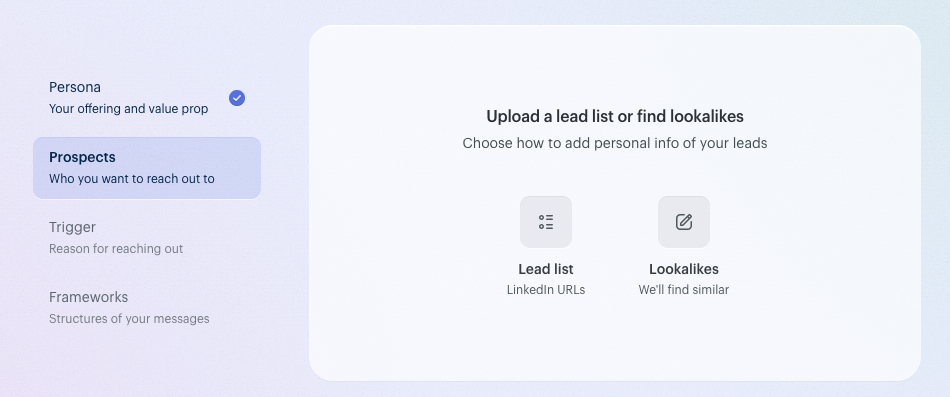
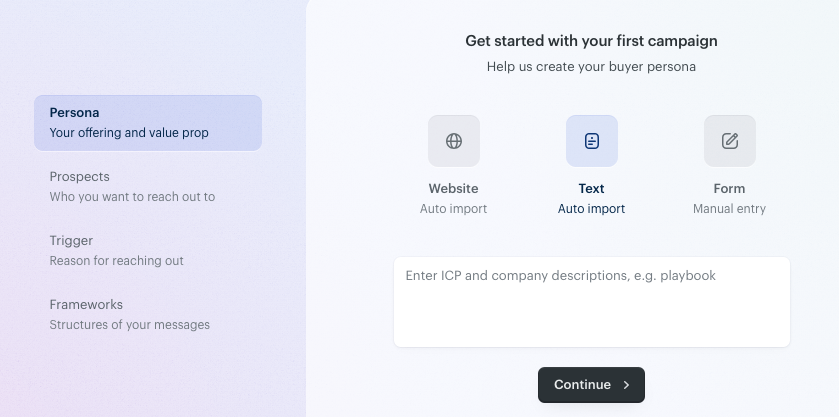
You can also import text in line with your ICP.