Even experienced LinkedIn marketers post to their followers as soon as they write a post. It makes much more sense to think about posting strategically, including scheduling posts for maximum visibility and broader reach.
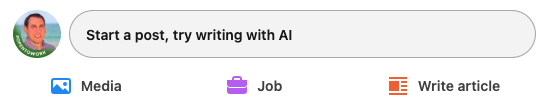
When you post on LinkedIn, start by clicking in the text box where it says Start a post.
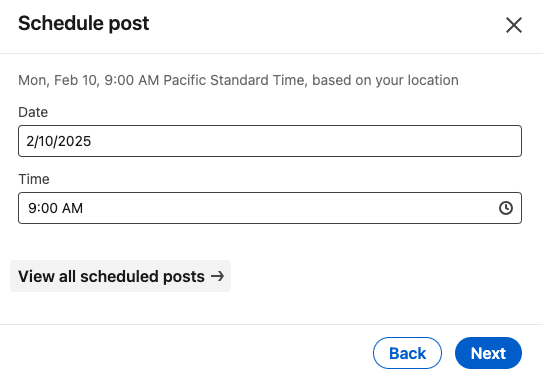
Once you’ve written your post and are ready to schedule, click the clock icon in the lower right to the left of the Post button to schedule. In most cases, you’ll want to schedule for later.
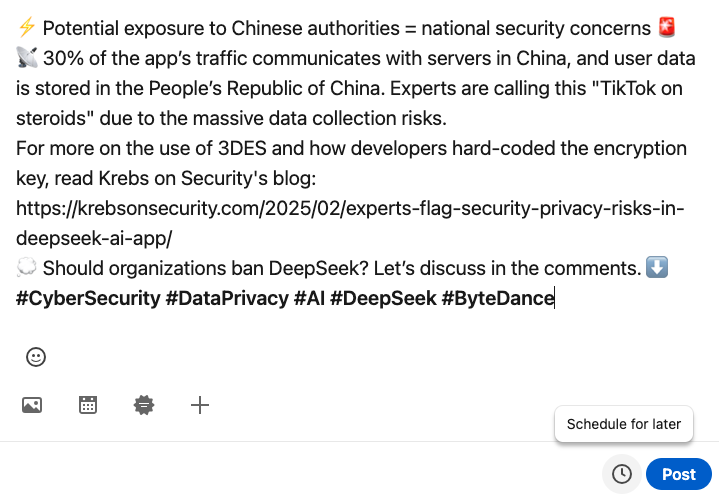
Best Practices for LinkedIn Posts: Maximizing Engagement and Visibility
LinkedIn is a powerful platform for professional networking, thought leadership, and brand awareness. To maximize engagement and visibility, it’s crucial to optimize your posts using strategic elements like emojis, outbound links, SEO techniques, hashtags, and optimal posting times. Below are best practices to ensure your LinkedIn posts reach the right audience.
1. Use of Emojis
Emojis can add personality and emphasis to your posts, making them more engaging. However, moderation is key. Here are some guidelines:
- Use emojis to break up long text and highlight key points.
- Stick to professional and contextually relevant emojis.
- Avoid excessive use to maintain credibility.
2. Handling Outbound Links
LinkedIn’s algorithm favors content that keeps users on the platform. Posts with outbound links may experience reduced reach. To counteract this:
- Place outbound links in the comments instead of the main post.
- If a link must be included, use engaging post text to maintain interest.
If you look at the post above, I was about to schedule the post with an outbound link to an authoritative source, Krebs On Security. Let’s search LinkedIn for his post on the same subject and see what we find.

Once you find it, click the 3 dots (ellipsis), then Copy link to post.
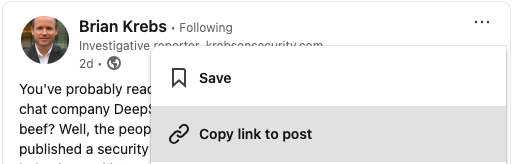
Replace the outbound link with an inbound link, and click the clock to schedule. Note the timezone of your customers or prospects when posting. If you’re posting to a national audience
3. Search Engine Optimization (SEO)
Optimizing your posts for LinkedIn’s search engine and external searches can significantly increase discoverability. Best practices include:
- Using relevant keywords naturally in your text.
- Structuring posts with clear, concise sentences and bullet points.
- Including up to three targeted hashtags to improve search ranking.
4. The Power of Hashtags
Hashtags help categorize your content and increase visibility. Follow these best practices:
- Use 3-5 hashtags per post to maintain readability and effectiveness.
- Mix broad hashtags (e.g., #Marketing) with niche ones (e.g., #B2BMarketing).
- Capitalize the first letter of each word in multi-word hashtags for better readability (#DigitalMarketing instead of #digitalmarketing).
To generate relevant hashtags, consider using these tools:
- Hootsuite’s Hashtag Generator (hootsuite.com)
- Canva’s Hashtag Generator (canva.com)
- VEED.IO Hashtag Generator (veed.io)
5. Best Time of Day and Day of the Week to Post
Timing plays a critical role in engagement. Research suggests:
- Best Days to Post: Tuesdays, Wednesdays, and Thursdays.
- Best Times: Early mornings (8–10 AM), lunch hours (12–1 PM), and early afternoons (1–3 PM).
- Avoid Weekends: Engagement tends to be lower on Saturdays and Sundays.
Posting at an off-peak time, such as 9:17 AM instead of exactly 9:00 AM, can help your content stand out. Many automated scheduling tools and marketers post on the hour or half-hour, so choosing an irregular time can reduce competition in the feed and increase visibility. This strategy can be especially effective on LinkedIn, where algorithms prioritize fresh content but also consider engagement velocity.
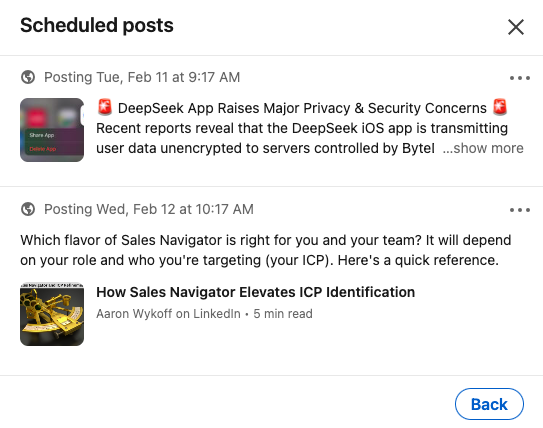
To See All Scheduled Posts
Click in Start a post
In the lower right, click the clock icon.
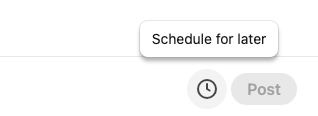
Click View all scheduled posts
You’ll now see a list of your scheduled posts.
Final Thoughts
By leveraging these best practices, you can create LinkedIn posts that drive engagement, enhance visibility, and support your professional brand. For more official LinkedIn guidelines, refer to LinkedIn’s Documentation.
Start optimizing your posts today and watch your LinkedIn presence grow!