Disk Space Usage Monitoring Across Managed Devices
Effective disk space management is crucial for maintaining the performance and reliability of IT systems. As an Acronis administrator, monitoring disk space usage across managed devices helps prevent issues such as system slowdowns or failures due to insufficient storage. Acronis provides robust tools for monitoring disk space, allowing administrators to set thresholds, receive alerts, and take proactive measures. Here’s how you can efficiently monitor disk space usage using Acronis.
Step-by-Step Guide to Monitoring Disk Space Usage
- Access the Acronis Management Console:
- Log in to your Acronis Cyber Protect Cloud console.
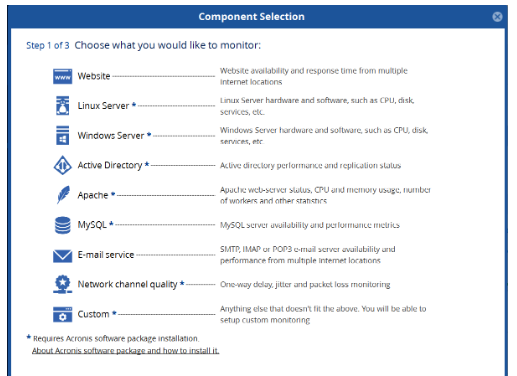
- Navigate to the Monitoring section where you can manage various monitoring settings.
- Configure Disk Space Monitoring:
- Go to the Manage Component Monitors page.
- Select the Free Disk Space slider to enable monitoring for disk space usage.
- You can customize the monitor name if desired.
- Set Thresholds for Alerts:
- In the Disk space and Disk usage thresholds, enter values for both Error threshold (Gb/%) and Warning threshold (Gb/%).
- The Error threshold will trigger alerts when the disk space falls below a critical level.
- The Warning threshold will notify you when disk usage approaches a predefined limit, allowing for proactive management.
- Specify the number of consecutive measurements needed to change the monitor status under the Monitor Status Change Rule.
- Monitor S.M.A.R.T. Attributes (Optional):
- If needed, select the S.M.A.R.T. attributes slider to monitor the health status of hard drives.
- This feature provides insights into potential hardware issues, allowing for early intervention before disk failures occur.
- Review Monitoring Reports:
- Regularly check the monitoring dashboard for an overview of disk space usage across all managed devices.
- Use detailed reports to analyze trends in disk usage and identify devices that may require attention.
- Take Action Based on Alerts:
- When alerts are triggered due to low disk space, investigate the affected devices.
- Consider actions such as deleting unnecessary files, archiving data, or expanding storage capacity to ensure optimal performance.
- Regular Maintenance Checks:
- Schedule periodic reviews of disk space usage and monitoring settings to adapt to changing storage needs within your organization.
Conclusion
Monitoring disk space usage across managed devices is essential for maintaining system performance and preventing disruptions in operations. By utilizing Acronis’ comprehensive monitoring tools, administrators can set up effective thresholds, receive timely alerts, and take proactive measures to manage disk space efficiently.
Implementing these practices not only enhances operational efficiency but also contributes to a more reliable IT environment. Embrace Acronis’ monitoring capabilities today to ensure your systems remain healthy and well-managed!