https://docs.brightdata.com/proxy-networks/isp/introduction
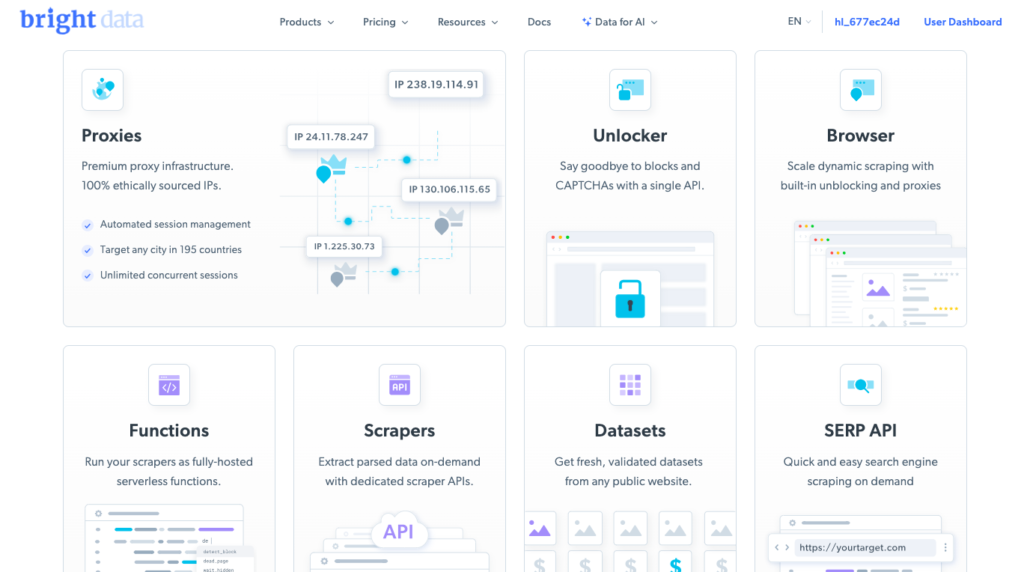
What is Bright Data?
Bright Data is a leading proxy provider offering a variety of proxy types, including residential, mobile, and data center proxies. For managing multiple Incognition profiles, Bright Data’s Data Center Proxies are an excellent choice:
- High Speed: These proxies offer fast connections ideal for automated tasks.
- Cost-Effective: Data center proxies are less expensive than residential proxies.
- Customizability: Bright Data allows you to assign static or rotating IPs, which are perfect for maintaining consistent sessions.
ISP Proxies: The Ideal Partner for LinkedHelper in Agency Campaign Management
Managing multiple LinkedIn campaigns for diverse clients can be a complex juggling act, especially when it comes to maintaining account security and avoiding red flags. Agencies using tools like LinkedHelper to automate and streamline LinkedIn outreach often face a common challenge: ensuring their activity appears natural to LinkedIn’s detection systems. This is where Bright Data ISP proxies come into play, offering a robust solution tailored to meet the needs of agencies managing multiple LinkedIn campaigns.
What Are Bright Data ISP Proxies?
Bright Data is a leading proxy service provider offering a wide range of proxy types, including ISP proxies. Unlike data center proxies, which are easily flagged as automated traffic, ISP proxies are tied to specific internet service providers (ISPs) and mimic residential IP addresses. This makes them nearly indistinguishable from genuine user traffic.
With Bright Data ISP proxies, you gain access to static IPs that originate from real ISPs, ensuring high reliability and legitimacy. For LinkedIn, which has advanced systems to detect suspicious activity, this provides a significant advantage.
Why Bright Data ISP Proxies Are Perfect for LinkedHelper
- Enhanced Account Security LinkedIn’s algorithms are highly sensitive to unusual login behavior, such as multiple logins from the same IP address across different accounts. Bright Data’s ISP proxies ensure that each LinkedIn account managed via LinkedHelper appears to operate from a unique, residential IP address. This minimizes the risk of account bans or restrictions.
- Natural Traffic Appearance Bright Data ISP proxies emulate real user traffic, which is crucial for LinkedIn’s scrutiny. Unlike data center proxies, these IPs don’t trigger suspicion because they originate from legitimate ISPs. This ensures your campaigns maintain credibility and remain undetected.
- Geolocation Flexibility For agencies managing campaigns targeting specific regions, Bright Data offers proxies with IPs from various countries and cities. This geolocation flexibility allows LinkedIn accounts to appear as though they’re being accessed from the desired location, aligning with client objectives and increasing campaign authenticity.
- Scalability for Agencies Managing multiple clients and campaigns means needing multiple IP addresses to segregate activity. Bright Data ISP proxies are highly scalable, allowing agencies to allocate unique IPs to each LinkedIn account seamlessly. This simplifies management and ensures each account’s activity remains isolated and secure.
- High Uptime and Reliability Downtime can disrupt campaign execution and jeopardize client relationships. Bright Data ISP proxies boast high uptime and reliable performance, ensuring uninterrupted access to LinkedHelper and seamless campaign operations.
- Seamless Integration with LinkedHelper Bright Data’s user-friendly dashboard and API make it easy to integrate ISP proxies with LinkedHelper. The setup is straightforward, enabling agencies to quickly configure proxies and focus on optimizing campaigns rather than troubleshooting technical issues.
Use Case: Managing Multiple LinkedIn Campaigns
Consider an agency handling LinkedIn outreach for ten clients in different industries and regions. Each client’s account must:
- Maintain a distinct identity.
- Avoid suspicious login behavior.
- Operate in line with their target audience’s geography.
With Bright Data ISP proxies, the agency can assign a unique, geolocated IP address to each LinkedIn account. This ensures that all activity appears authentic, protects accounts from detection, and allows campaigns to perform optimally.
Conclusion
For agencies leveraging LinkedHelper to manage multiple LinkedIn campaigns, Bright Data ISP proxies offer an unbeatable combination of security, reliability, and scalability. By mimicking real residential traffic and providing geolocation options, these proxies ensure that each LinkedIn account operates seamlessly and without triggering red flags. As a result, agencies can focus on delivering results for their clients while maintaining the highest standards of account integrity.
If you’re serious about optimizing LinkedIn outreach for your clients, integrating Bright Data ISP proxies with LinkedHelper is a strategic investment that pays dividends in both performance and peace of mind.
Step-by-Step Guide: Integrating Incognition with Bright Data Proxies
Step 1: Create a Bright Data Account and Set Up Proxies
- Sign Up for Bright Data:
Visit Bright Data’s website and create an account. - Click Products
- Choose ISP Proxies:
- Navigate to the “ISP Proxies” section.
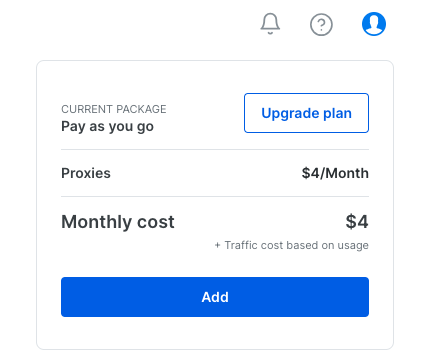
- Purchase a plan that fits your needs (e.g., number of IPs, bandwidth). Individual dedicated IPs are $4.00 per month.
- Generate Proxy Details:
- In the Bright Data dashboard, create a proxy zone.
- Choose the desired location and protocol (HTTP/HTTPS).
- Retrieve the proxy details, including the IP address, port, username, and password.
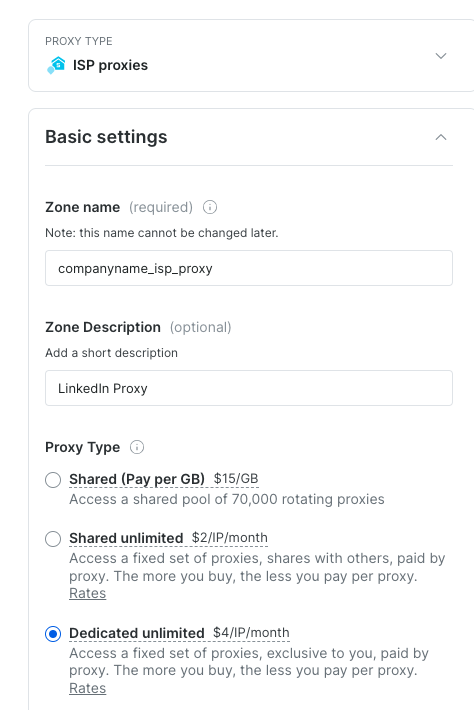
Select 1 for the number of proxies.
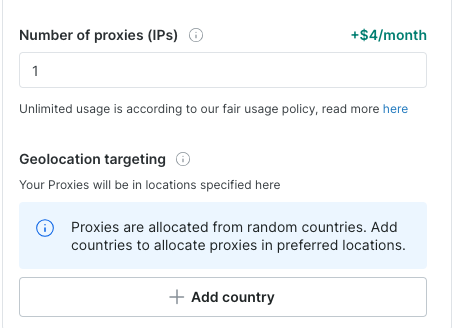
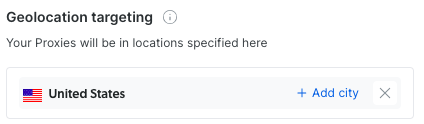
Select the country that your user would normally log into LinkedIn from.
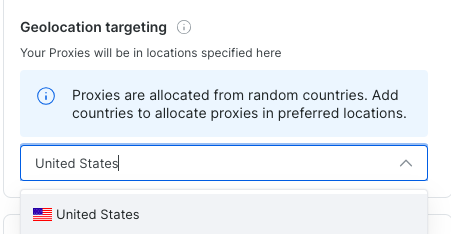
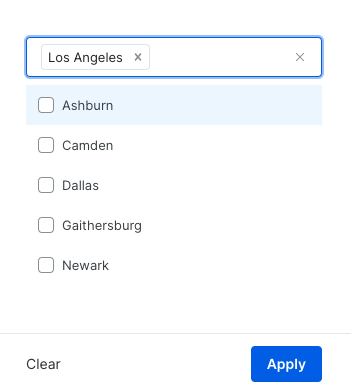
Click add city
Click apply
In the upper right, click add
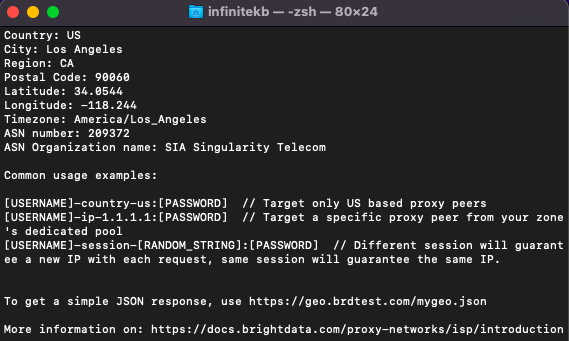
Copy the curl code to test your proxy and paste it into your Mac Terminal or CMD prompt in Windows. You’ll get a response that confirms the location of your proxy is in Los Angeles as selected.
Need help setting up scraping or LinkedIn automation? Fill out the Contact Us form.