Harness
LLMs available to the agent
Coding agents use a single model or multiple LLMs
MCP is the plugin tool
Popular coding agents are: avanti.nvim, Claude Code, Codex CLI, Cursor, Github Copilot, and Windsurf.
Claude Code > Overview > NPM install
Install Claude Code from Terminal: npm install -g @anthropic-ai/claude-code
In VS Code, open Terminal > New Terminal
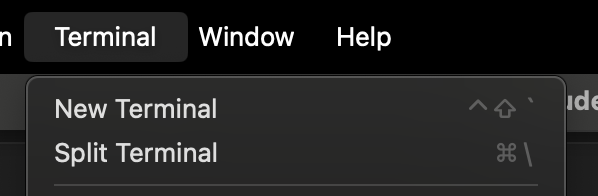
Type claude
Select your preferences: dark mode and connect to your Claude Pro account or whatever subscription you use.
Use the recommended settings
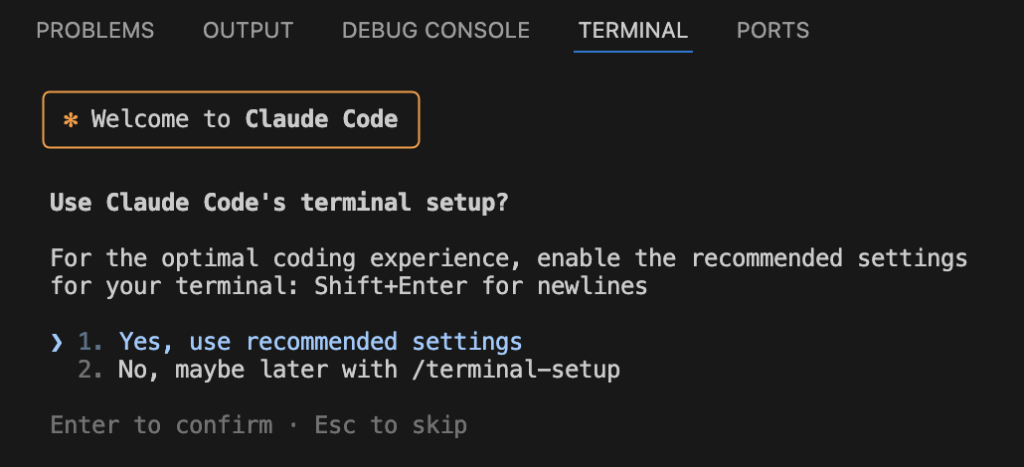
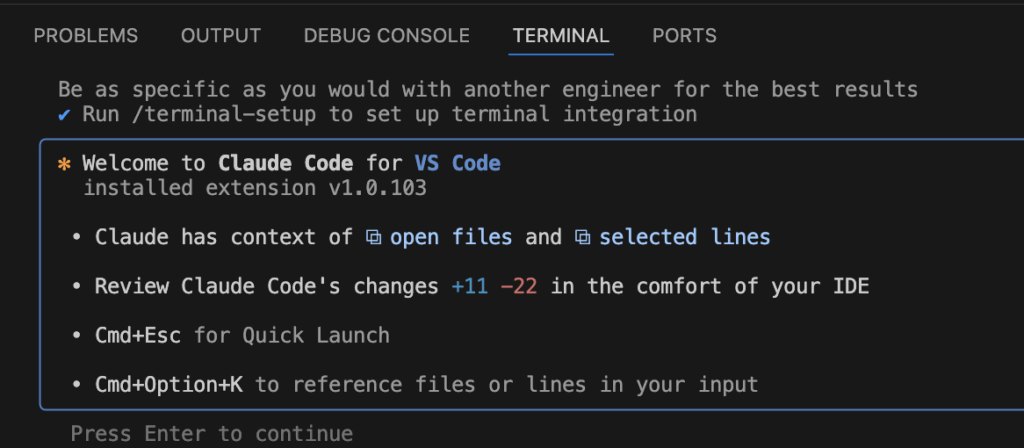
Note the shortcuts:
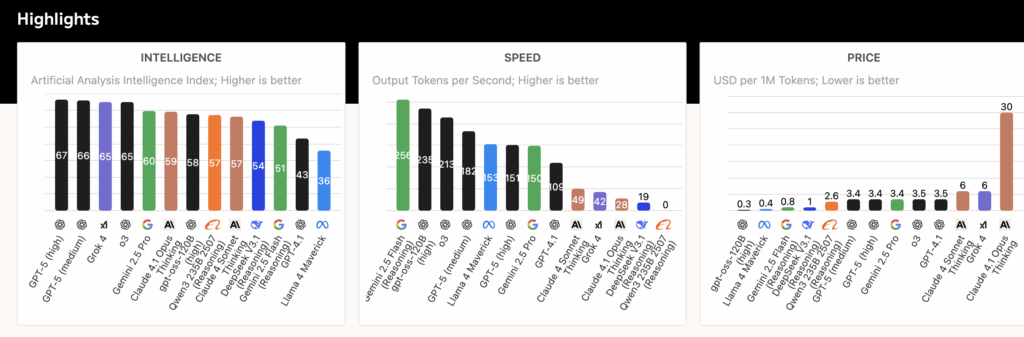
As you evaluate which LLM(s) to use, go to https://artificialanalysis.ai/ and compare intelligence, speed, and price.
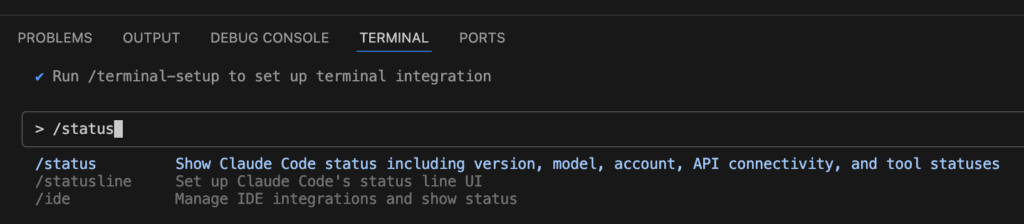
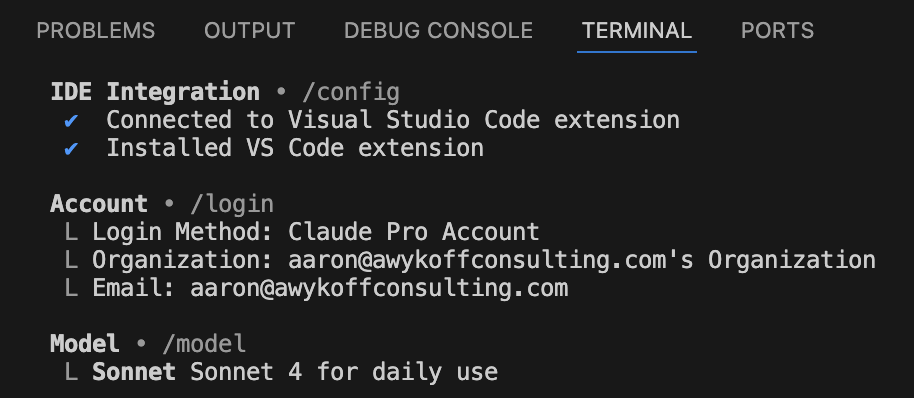
/status tells you which model you’re using. Hit enter
Note that the model is Claude Sonnet 4
Model Context Protocol
Now let’s study the basics of MCP. The Model Context Protocol (MCP) is an open standard designed to enable large language models (LLMs) and AI applications to connect seamlessly and securely with external tools, data sources, and systems. MCP solves the challenge of integrating AI models with multiple external resources by providing a universal, standardized protocol based on JSON-RPC 2.0. This allows AI applications, called hosts, to interact with various MCP servers that expose functions, data, or prompts as capabilities the AI can invoke. MCP follows a client-server architecture where the AI application hosts an MCP client that communicates with one or more MCP servers, enabling secure and structured exchanges of information and requests in real time.
Vibe coding uses MCP to enhance AI-assisted programming workflows by maintaining rich context and continuous state across coding sessions. With MCP, coding assistants can access live project data, external APIs, repositories, and other tools dynamically, allowing the AI to “understand” ongoing work without losing the thread between interactions. This enables smarter, context-aware code completion, debugging, and refactoring. By leveraging MCP, vibe coding creates an interactive, persistent collaborative environment where the AI integrates seamlessly with the developer’s usual tools and project assets, improving productivity and code quality.
MCP provides the standardized connection layer that lets AI models securely and efficiently access and manipulate external systems, while vibe coding applies this capability to practical AI-driven coding assistance. This combination transforms AI from a static model into a connected, contextually aware partner in software development.
Confirm you have Github CLI installed. Open your terminal inside VS Code and verify the installation by running gh --version.
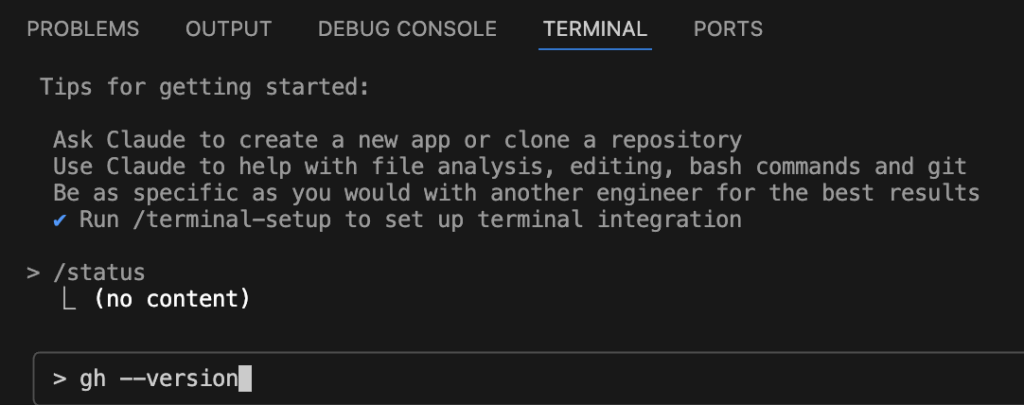
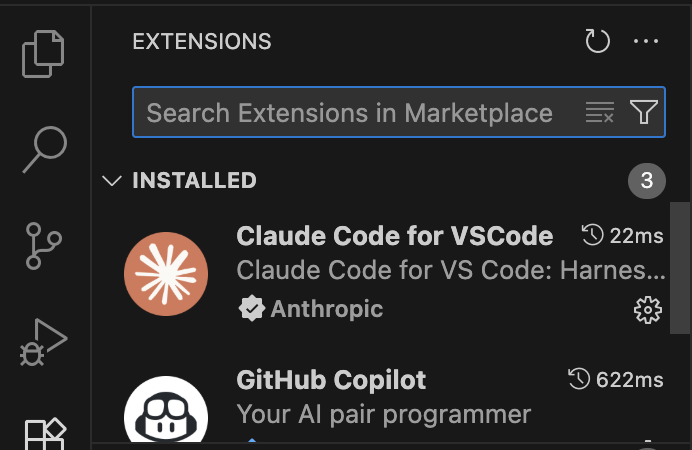
If it’s not installed, make sure the Claude Code VS Code extension is installed and enabled. You can check by opening the Extensions panel in VS Code and searching for “Claude Code.” If not installed or showing errors, install or reinstall it from the marketplace.
Click extensions.
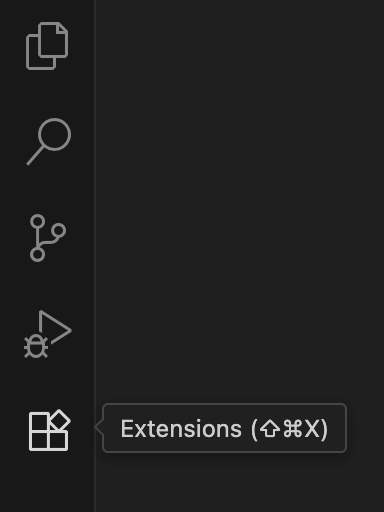
Then Claude Code for VSCode
Press Shift + Tab for Claude to enter planning mode.
Context Window
The context window is a critical concept in working with large language models (LLMs) and refers to the amount of textual or token-based information the model can access, process, and “remember” at once when generating responses. Essentially, it acts as the AI’s short-term working memory, encompassing both the current input and recent preceding information the model can refer to in order to understand context and generate coherent output. The size of this window is finite, often measured in tokens, which represent words or parts of words. The larger the context window, the more information the model can consider simultaneously, leading to better understanding and richer responses.
In vibe coding, where an AI like Claude is used interactively to assist with coding, the context window becomes especially important. Maintaining a large context window allows the AI to keep track of extensive portions of the codebase, comments, design notes, and prior interactions all at once. This results in smoother, more coherent collaborations without losing track of previous code logic or instructions. It enables the AI to work on complex coding projects with continuity over multiple sessions, thus providing more relevant suggestions, accurate completions, and helpful debugging insights.
Overall, the context window directly impacts the quality and usefulness of the AI’s assistance during vibe coding. A too-small window leads to fragmented understanding and frequent loss of important context, forcing developers to repetitively provide information. But a larger context window lets the AI maintain awareness over entire files or workflows, reducing fragmentation and enabling continuous, dynamic co-development that feels more natural and efficient.
To set up the Claude.MD file for the codebase documentation, type /init
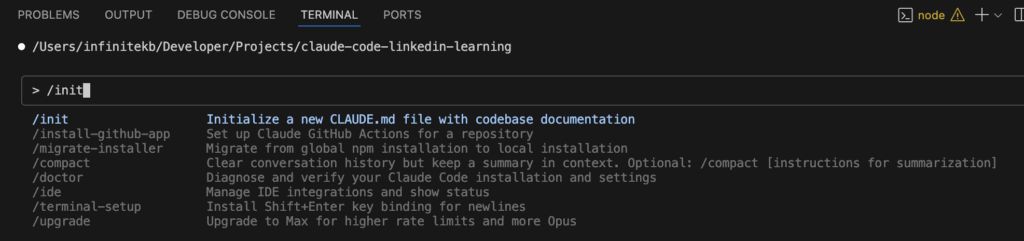
Claude confirms the .md file was created

Click on the file that was just created
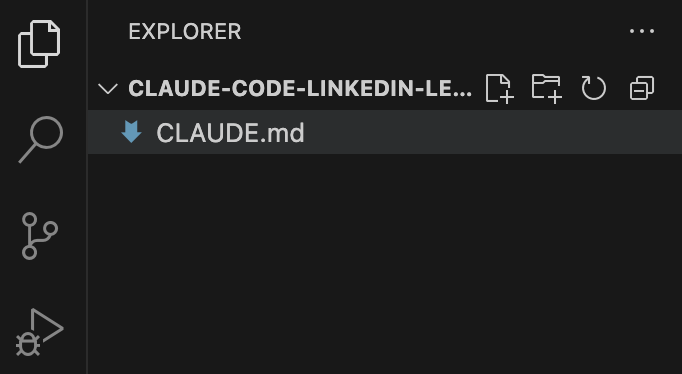
If you want to add CLAUDE.md to your context, use the @ sign.

Pair Programming
Pair programming with Claude Code inside Visual Studio Code transforms the traditional development collaboration by embedding a powerful AI assistant directly into the coding environment. Unlike typical AI autocomplete tools, Claude Code acts as an intelligent partner that understands the entire project context, dependencies, and coding standards. It enables developers to interact naturally through chat and terminal commands while maintaining awareness of the full codebase structure without manual context selection. This setup allows Claude to suggest coordinated changes across multiple files, help with debugging, and expedite feature development in real time.
Within VS Code, Claude Code integrates seamlessly by providing an interactive terminal or sidebar interface. Developers can ask Claude to create, review, and refactor code while it remains in control of when and how to modify files, ensuring no unintended changes occur. The pair programming experience benefits from Claude’s deep codebase understanding, advanced reasoning, and ability to interface with common development workflows like GitHub Actions, test suites, and build systems. This integration reduces context switching, letting developers stay focused in their primary IDE while leveraging AI to speed up manual, repetitive coding tasks.
Additionally, Claude Code’s pair programming includes features like interactive planning mode, where the AI meaningfully collaborates on multi-step development plans before actual coding, and an auto-accept mode for quicker iterative feedback loops. The AI adapts to the developer’s coding style and guidelines by referencing project-specific configuration files, which promotes consistency in the codebase. By working alongside Claude Code in VS Code, developers enjoy a highly productive, continuously connected coding partner that enhances coding speed, accuracy, and overall software quality without replacing human creativity and judgment.
https://www.anthropic.com/claude-code
https://www.anthropic.com/engineering/claude-code-best-practices