n8n is an open-source workflow automation tool that allows businesses to connect their applications, APIs, and services without heavy custom development. Similar to tools like Zapier or Make, but with far greater flexibility, n8n lets you design automated workflows using a visual, drag-and-drop interface. Because it’s self-hostable and highly extensible, MSPs, IT teams, and businesses of all sizes can build complex, multi-step automations that fit their unique processes while maintaining control over data privacy and compliance.
The primary use cases for n8n revolve around eliminating repetitive manual work and integrating disparate systems. Teams often use it to automate ticketing and alerts, sync customer data across CRMs and PSA tools like Autotask, enrich leads with third-party data, and streamline client communications via email or Slack. It’s also popular for reporting, such as pulling metrics from different systems and compiling them into dashboards or scheduled reports. Whether for IT operations, sales workflows, or security alerts, n8n serves as the glue that makes tools work together seamlessly.
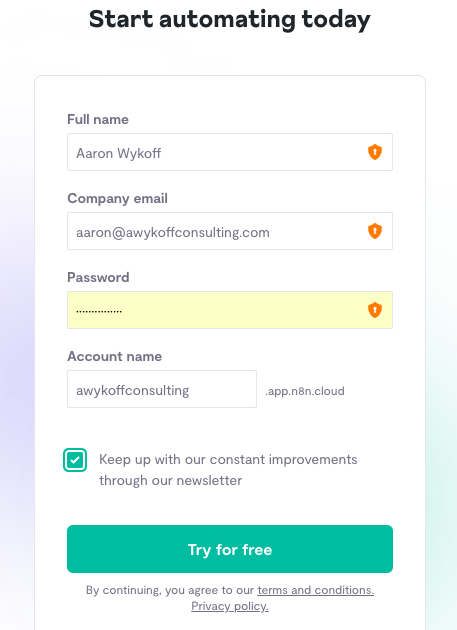
To get started, sign up for a free account. https://app.n8n.cloud/register
After you get set up, bookmark the community page. You’ll get a lot of insight from other users.
https://community.n8n.io There’s also a Discord channel. https://discord.com/invite/XPKeKXeB7d
It’s quite useful to start with their YouTube channel to learn the basics, but we’ve also created this glossary to learn the basics and get started.
Getting Started with Workflow Automation
If you’re new to n8n, this guide will help you understand the basics and point you to the right resources. Whether you’re an MSP automating Autotask reporting or just exploring no-code/low-code workflows, n8n provides a powerful and flexible framework to connect your tools and streamline operations.
Here’s a quick glossary to help you get started. Each term includes a link to the official n8n documentation for deeper learning:
- Workflow
A series of connected nodes that define your automation steps. - Node
The building block of workflows. Each node performs a specific task (e.g., fetch data from an API, send an email, or process data). - Trigger Node
Special nodes that start workflows. Examples include Cron (time-based), Webhook, or integrations like Gmail/Slack triggers. - Credentials
Secure storage for API keys, usernames, and tokens. Credentials are re-usable across nodes. - Execution
A single run of a workflow. Executions let you test and debug automations step-by-step. - Function Node
A node where you can write custom JavaScript to manipulate data or extend workflows. - Expression
A way to dynamically insert values into node fields, often using data from previous steps. - Error Workflow
A special workflow triggered when another workflow fails, useful for monitoring and alerting. - Self-hosted
Running n8n on your own infrastructure for full control, instead of using n8n Cloud.
🚀 Getting Started
- Install n8n (via npm, Docker, or desktop app).
- Create your first workflow with a trigger (e.g., Cron).
- Add nodes to fetch, transform, and send data.
- Test your workflow, debug with executions, and deploy it.
Storing Secrets in AWS
To store secrets in AWS, follow these step-by-step instructions: https://infinitekb.com/aws-secrets/