https://business.linkedin.com/sales-solutions
How Sales Navigator Elevates ICP Identification
Precision targeting is the name of the game. If you want to elevate your outreach game, your Ideal Customer Profile (ICP) isn’t just a guideline—it’s the cornerstone of your outreach strategy. For sales teams aiming to identify and connect with their ICPs effectively, LinkedIn Sales Navigator is a must-have tool.
Beyond its powerful features, Sales Navigator offers flexible subscription plans that cater to businesses of all sizes, making it an essential investment for anyone serious about boosting their sales performance.
Why ICP Identification Matters
Your ICP is a detailed description of your ideal customer based on factors like industry, company size, job roles, and challenges they face. A well-defined ICP helps you:
- Save Time: Avoid wasting energy on low-potential leads.
- Increase Conversions: Deliver personalized messaging that resonates.
- Improve ROI: Target prospects with the highest likelihood of purchasing your product or service.
Sales Navigator: A Comprehensive Tool for ICP Identification
Sales Navigator isn’t just a prospecting tool—it’s a sales intelligence platform designed to help you pinpoint and engage with your ICP effectively.
Key Features of Sales Navigator
- Advanced Lead and Company Search
With over 30 search filters, Sales Navigator lets you refine your search to find leads that match your ICP. Filter by industry, company size, geography, seniority, and more. - Lead Recommendations
Sales Navigator’s AI-driven recommendations suggest leads and accounts similar to those you’ve already identified, helping you discover new opportunities that align with your ICP. - Custom Lead and Account Lists
Organize your target leads and companies into lists, making it easier to track their activity and engagement. - Real-Time Updates
Receive alerts on job changes, company updates, and other insights that keep your ICP dynamic and aligned with market shifts. - Team Collaboration Tools
For businesses with multiple salespeople, Sales Navigator offers team features, such as shared lead lists and activity tracking, to ensure a cohesive approach to prospecting.
Subscription Options with Sales Navigator
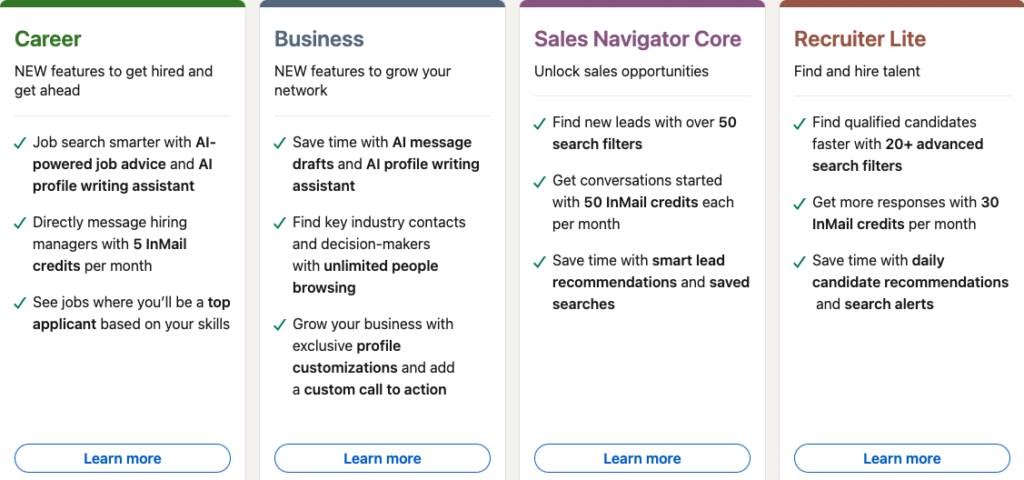
Sales Navigator offers three main subscription tiers, allowing users to choose the level of functionality that best meets their needs:
Sales Navigator Core
- Ideal for individual sales professionals.
- Includes basic advanced search filters, lead recommendations, and alerts.
- Perfect for those just starting with ICP targeting or managing smaller-scale outreach.
Sales Navigator Core is what most salespeople will get started with. Here’s a description from the LinkedIn page:
Find and drive more leadsDrive more leads with advanced search and lead recommendations, and contact anyone outside your network
- Sales Navigator platform
- 50 InMails per month
- See Who’s Viewed Your Profile from the last 365 days
- Unlimited People Browsing
- Custom lead and account lists
- Find the right leads and accounts with advanced search
- Save leads and accounts to track their activity
- Save time with lead and account recommendations
- Open Profile
- Gather and manage insights for smarter outreachGet real-time updates on your leads and accounts, and see recent company growth trends
- Seize opportunities with real-time lead and account alerts
- Company insights
- Resume insights
- Collaborate with your teamLeverage your team’s network for introductions and easily share your work
- 22,000+ LinkedIn Learning courses
- Full access to Interview Preparation tools
Sales Navigator Advanced
- Designed for growing teams or individuals needing more in-depth insights.
- Offers advanced CRM integrations, team collaboration features, and enhanced analytics.
- A great choice for sales teams working on collaborative ICP strategies.
Sales Navigator Advanced Plus
- Built for large enterprises with complex sales processes.
- Provides full CRM and enterprise systems integration, as well as advanced administrative controls.
- Ideal for companies needing detailed analytics and scalability across multiple departments.
Annual vs. Monthly Plans
- Annual Plans: Offer cost savings for businesses committed to long-term use.
- Monthly Plans: Provide flexibility for those testing Sales Navigator or working on short-term projects.
Sales Navigator Options and Pricing
LinkedIn Sales Navigator offers three distinct plans tailored to varying professional needs:
1. Sales Navigator Core (Professional):
- Cost: $99.99 per month; if billed annually, $79.99 per month ($959.88 per year).
- Features:
- Advanced lead and company search capabilities.
- Custom lead and account lists.
- Real-time sales updates and alerts.
- Lead recommendations.
- 20 InMail messages per month.
- Ideal For: Individual sales professionals or small teams new to social selling, seeking essential tools for prospecting and lead management.
2. Sales Navigator Advanced (Team):
- Cost: $149.99 per month; if billed annually, $139.99 per month ($1,679.88 per year).
- Features:
- All Core features.
- 50 InMail messages per month.
- TeamLink, allowing access to 2nd and 3rd-degree connections of team members.
- Smart Links for sharing content and tracking engagement.
- CRM integration with platforms like Salesforce and Microsoft Dynamics.
- Advanced reporting and analytics.
- Ideal For: Growing sales teams aiming to enhance collaboration, leverage collective networks, and integrate LinkedIn insights directly into their CRM systems.
3. Sales Navigator Advanced Plus (Enterprise):
- Cost: Custom pricing, typically starting at $1,600 per seat annually.
- Features:
- All Advanced features.
- Advanced CRM integrations with real-time contact updates.
- TeamLink Extend to access connections across the entire enterprise.
- Enterprise-grade administrative tools and analytics.
- API access for seamless workflow integration.
- Ideal For: Large organizations with complex sales structures requiring comprehensive CRM integration, extensive administrative controls, and advanced analytics to drive strategic sales initiatives.
Choosing the Right Plan:
- Individual Sales Professionals: The Core plan offers essential tools for effective prospecting and lead management.
- Small to Medium Sales Teams: The Advanced plan enhances team collaboration and provides deeper insights through CRM integration.
- Large Enterprises: The Advanced Plus plan delivers robust features suitable for complex sales operations and extensive CRM needs.
Assess your specific requirements, team size, and integration needs to select the most appropriate Sales Navigator plan.
The ROI of Sales Navigator Subscriptions
Investing in Sales Navigator isn’t just about accessing features—it’s about transforming your sales pipeline. With better ICP identification and real-time insights, sales teams consistently report:
- Higher Lead Conversion Rates: Targeted outreach leads to warmer responses.
- Shorter Sales Cycles: Efficient prospecting minimizes the time spent on unsuitable leads.
- Improved Team Collaboration: Shared tools and insights ensure everyone is aligned.
Sales Navigator Connection Requests
When sending connection requests via LinkedIn Sales Navigator, the character limit for the message is 300 characters. This allows you to craft concise and personalized messages to potential connections.
Regarding the number of connection requests you can send per day, LinkedIn does not publicly disclose specific daily limits for Sales Navigator users. However, LinkedIn does have general guidelines to prevent spam and maintain platform integrity. It’s advisable to send connection requests thoughtfully and avoid excessive outreach to maintain a positive reputation on the platform.
For more detailed information, you can refer to LinkedIn’s official resources: LinkedIn Sales Navigator Help Center
**Note that LinkedIn’s policies and features may change over time, so it’s a good idea to review their official documentation periodically for the most current information.
Sales Navigator Vs. Premium
Sales Navigator is better than LinkedIn Premium for sending custom connection requests, for a few reasons:
- Higher Connection Limits – Sales Navigator users often get higher weekly connection request limits (100 per week) compared to free or standard Premium accounts.
- Better Targeting – Sales Navigator’s advanced search filters (e.g., “posted on LinkedIn in the last 30 days”) help you find active users, increasing acceptance rates.
- More Visibility – Profiles with Sales Navigator tend to get prioritized in search results, making your requests more likely to be seen.
If you’re doing outbound at scale, Sales Navigator is worth it over regular Premium.
Final Thoughts
LinkedIn Sales Navigator is more than a subscription—it’s a strategic partner in your sales journey. Whether you’re a solo professional or part of a large enterprise team, its powerful features and flexible pricing make it a must-have for any B2B sales strategy.
Ready to take your sales to the next level? Explore Sales Navigator subscription options today and start connecting with the leads that truly matter!
If you’re unsure which subscription plan is right for you, let us know! We’d be happy to guide you in leveraging Sales Navigator to its fullest potential. Just fill out the Contact Us page.
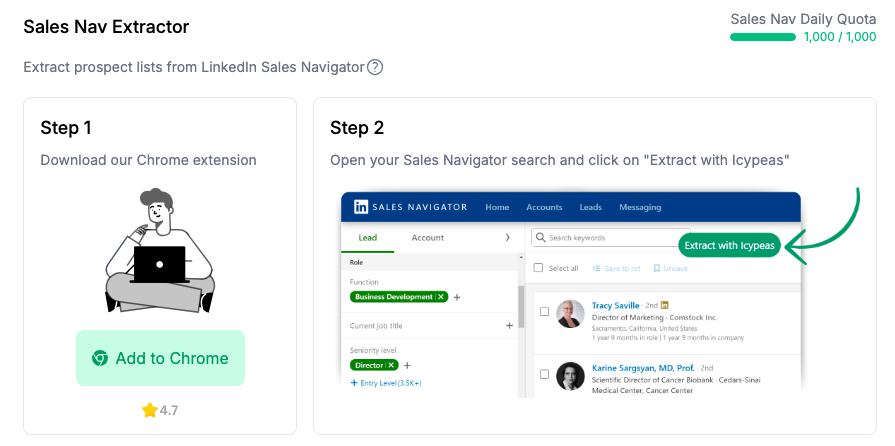
If you want to extract data out of Sales Navigator, take a look at Icypeas, https://www.icypeas.com/ and while on the subject of ICPs, check out https://infinitekb.com/icp. If you’re interested in scraping other data, visit our scraping page.